Personalized shade selection
Let customers upload a photo, add personal details, try and compare shades, save looks, and find matching products.

08 / Clairol · myShade
A virtual makeover tool that guides customers from personalized shade exploration to product recommendations.
01 / About the Project
Guide personalized exploration toward a relevant product recommendation.
Let customers upload a photo, add personal details, try and compare shades, save looks, and find matching products.
Help customers explore and compare hair-color shades using personalized previews, then find a matching product.
The well-received tool connected personalized previews and saved looks with recommendations.
02 / UX planning
Make each step clear, from personalizing a preview to saving looks and choosing products.
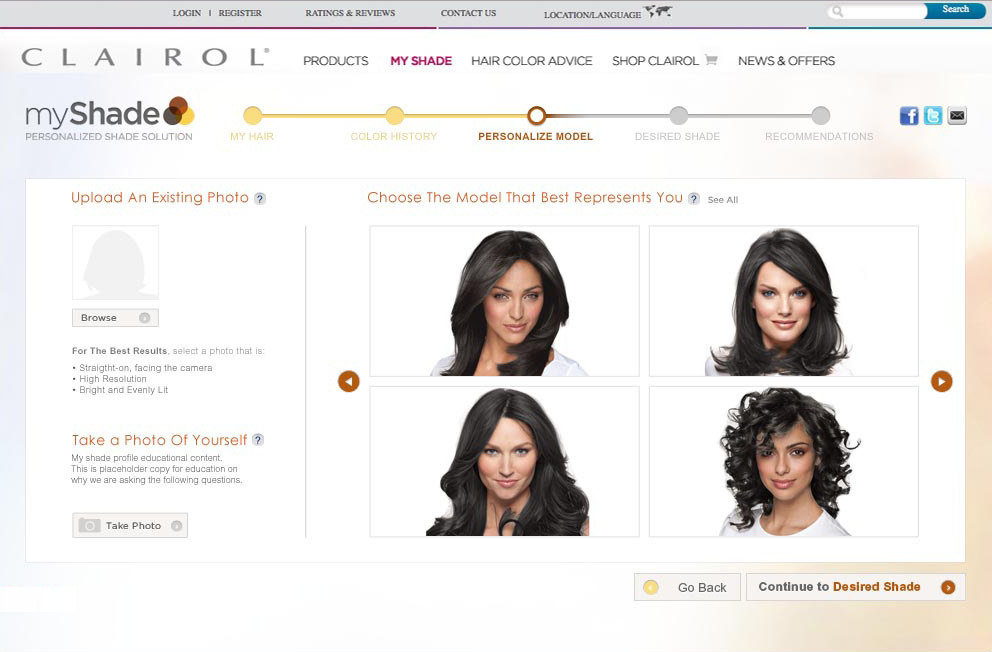
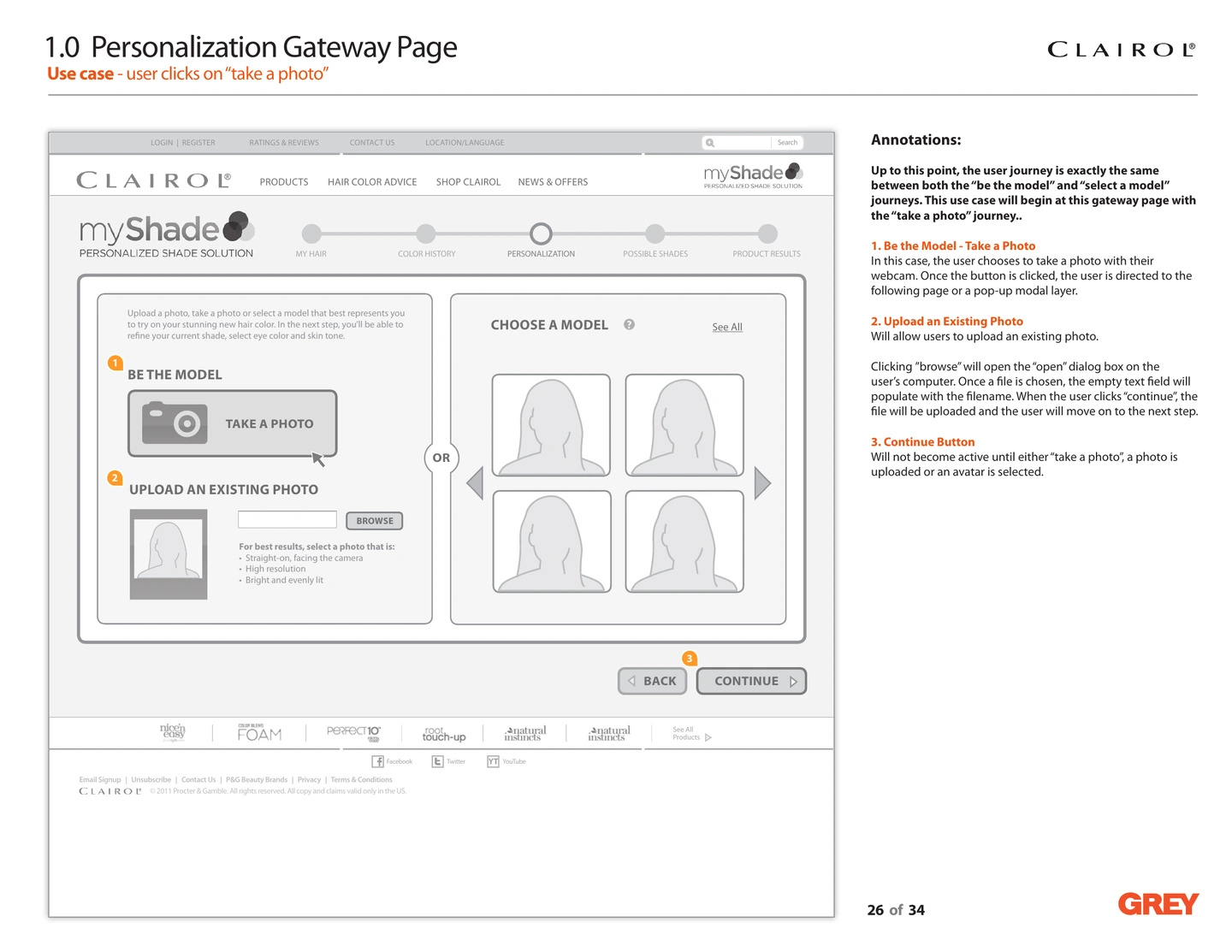
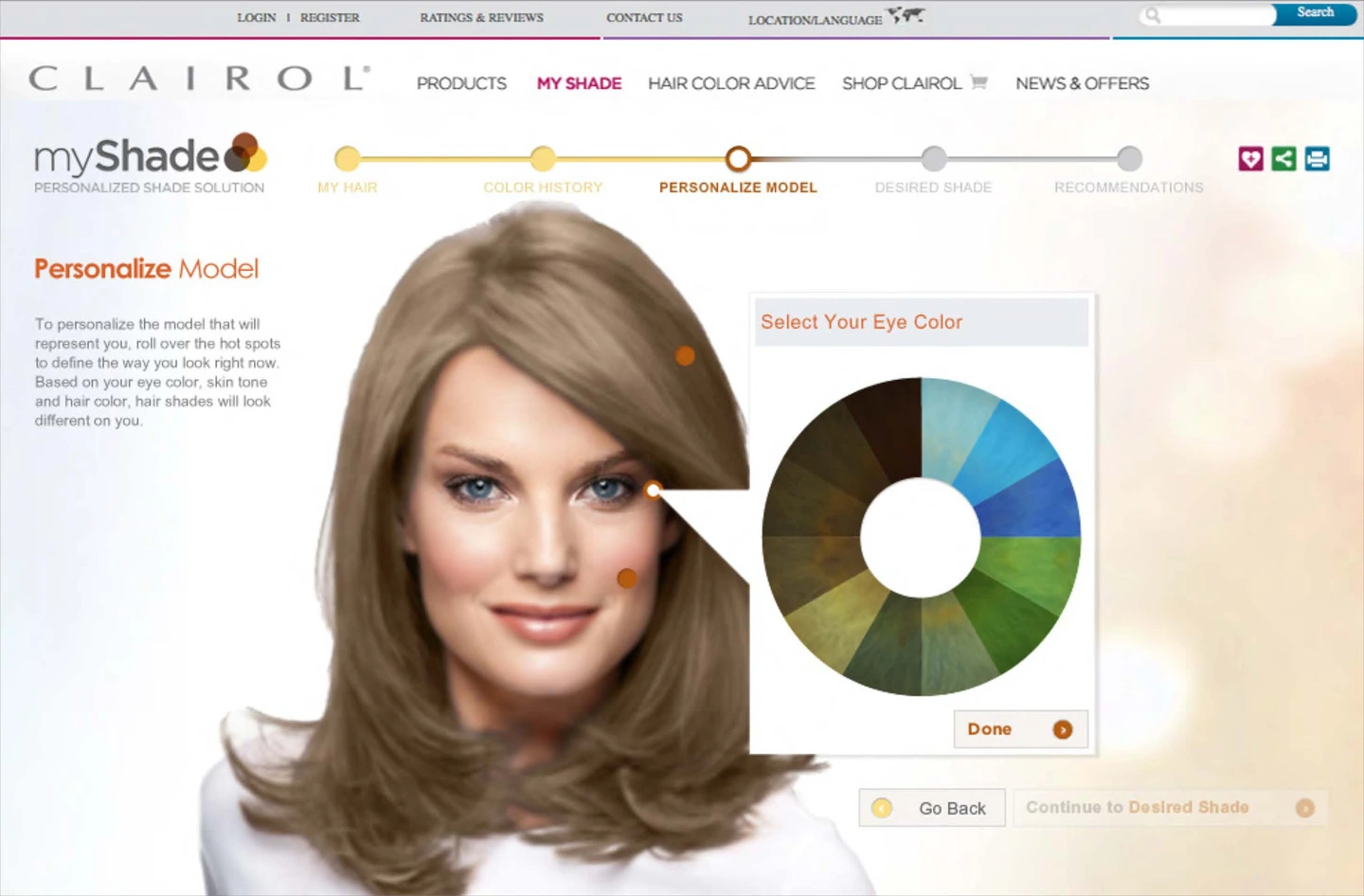
Choose a model or upload a photo to preview hair colors.
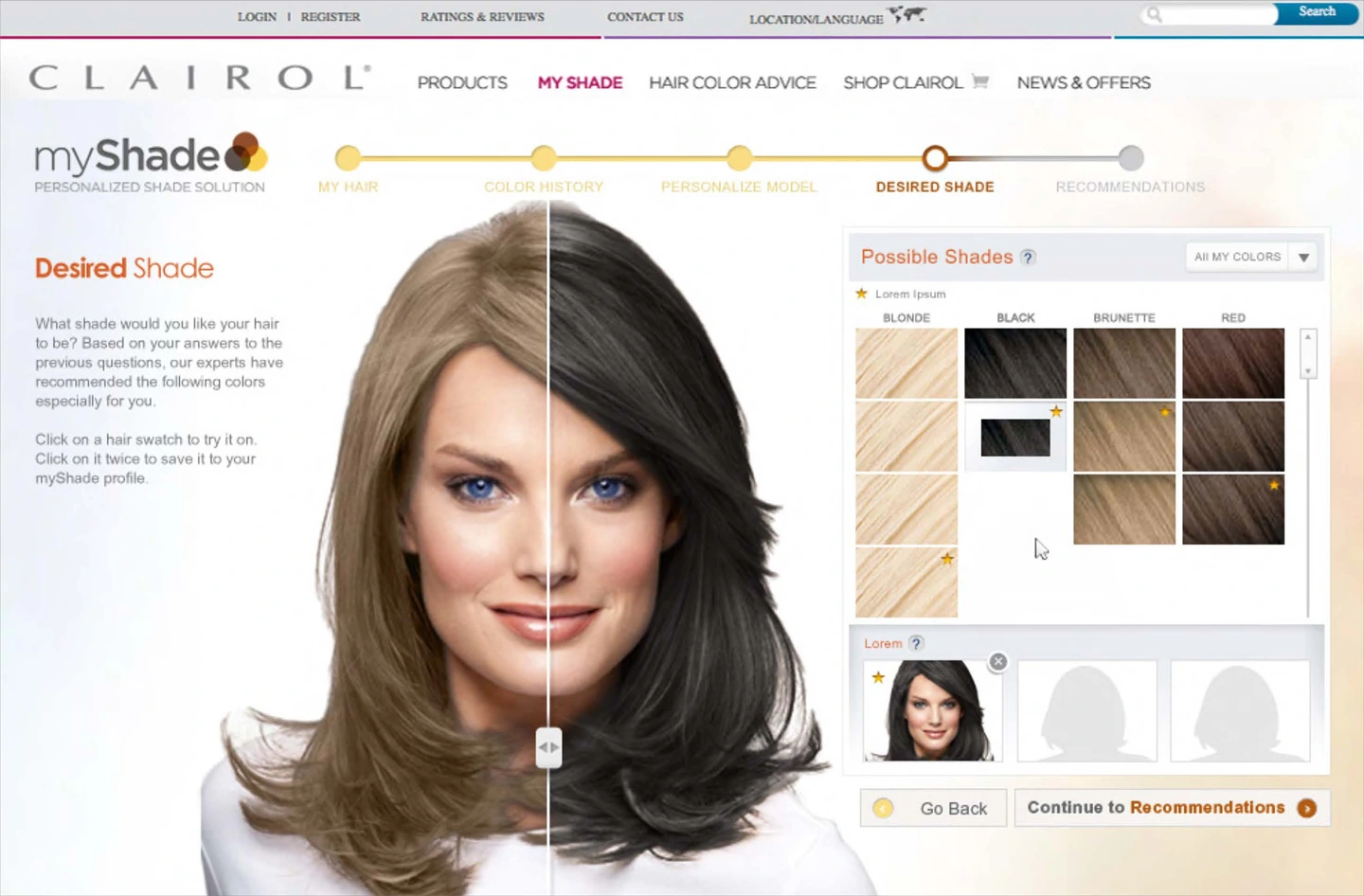
Compare shades and save favorite looks.
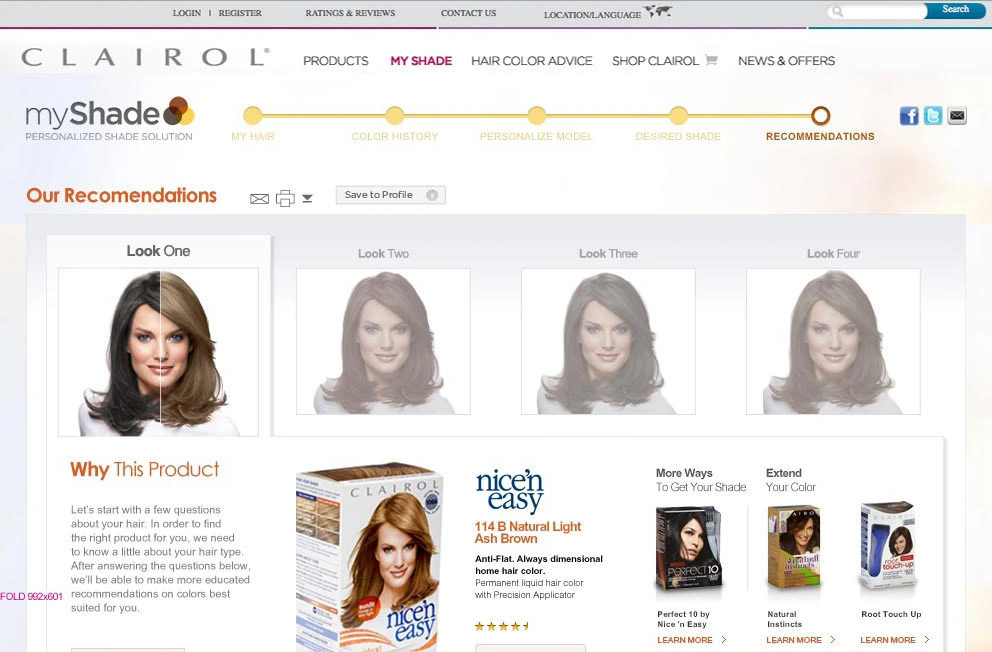
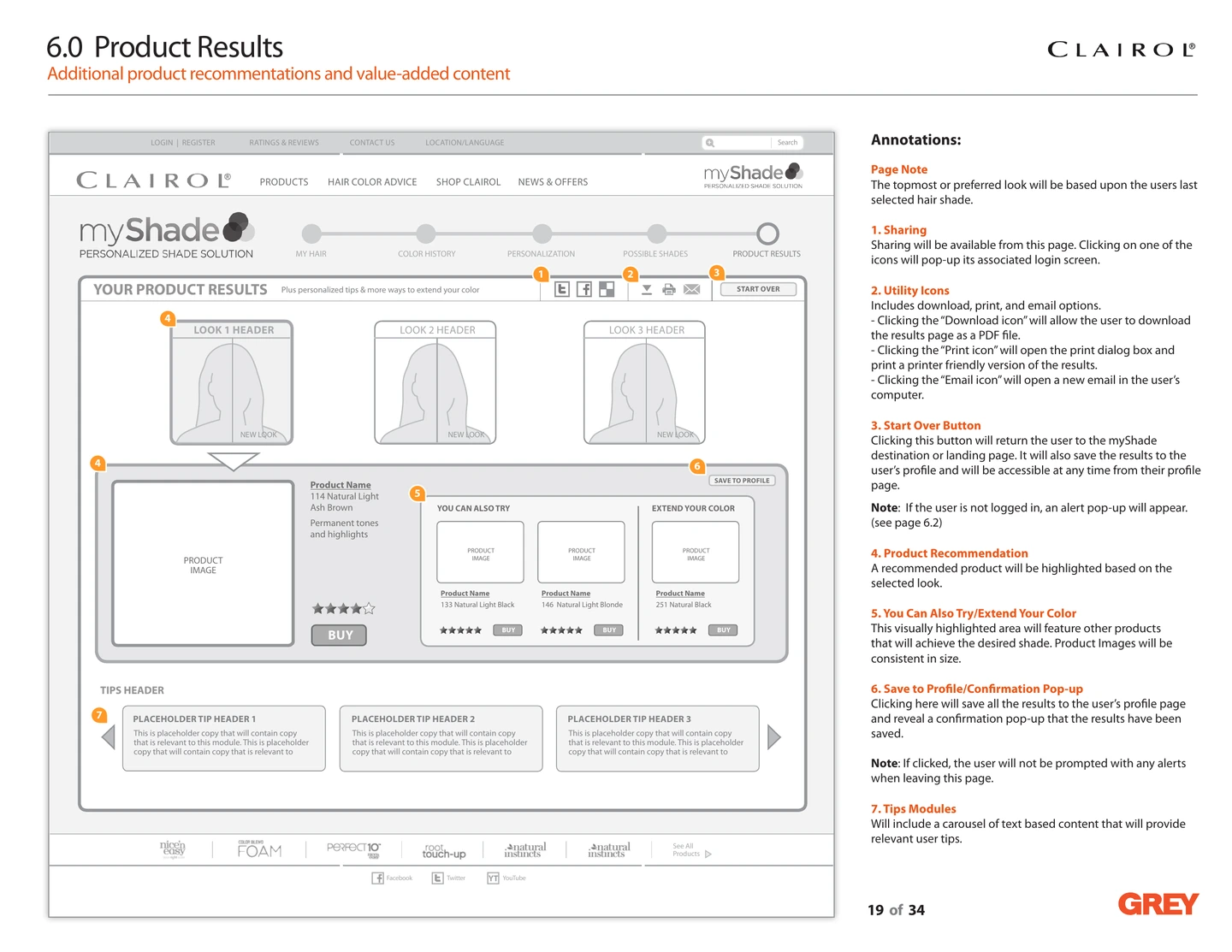
Show products that match the selected shade.
03 / UX & Interaction Design
Finished screens show the experience alongside the wireframes that defined it.
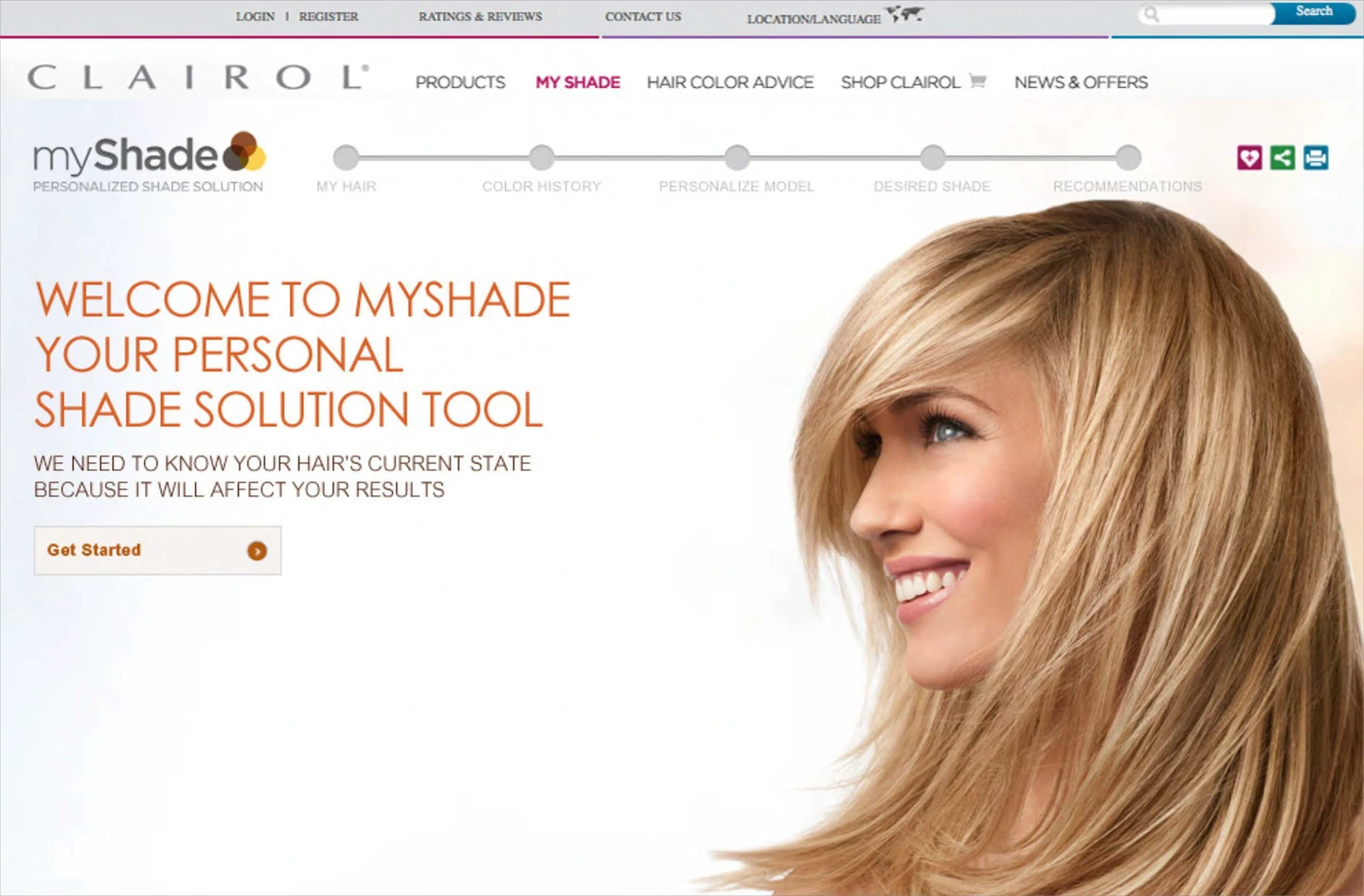
From a welcoming introduction to model personalization and shade comparison, myShade helped customers explore a new look and move toward matching product recommendations.
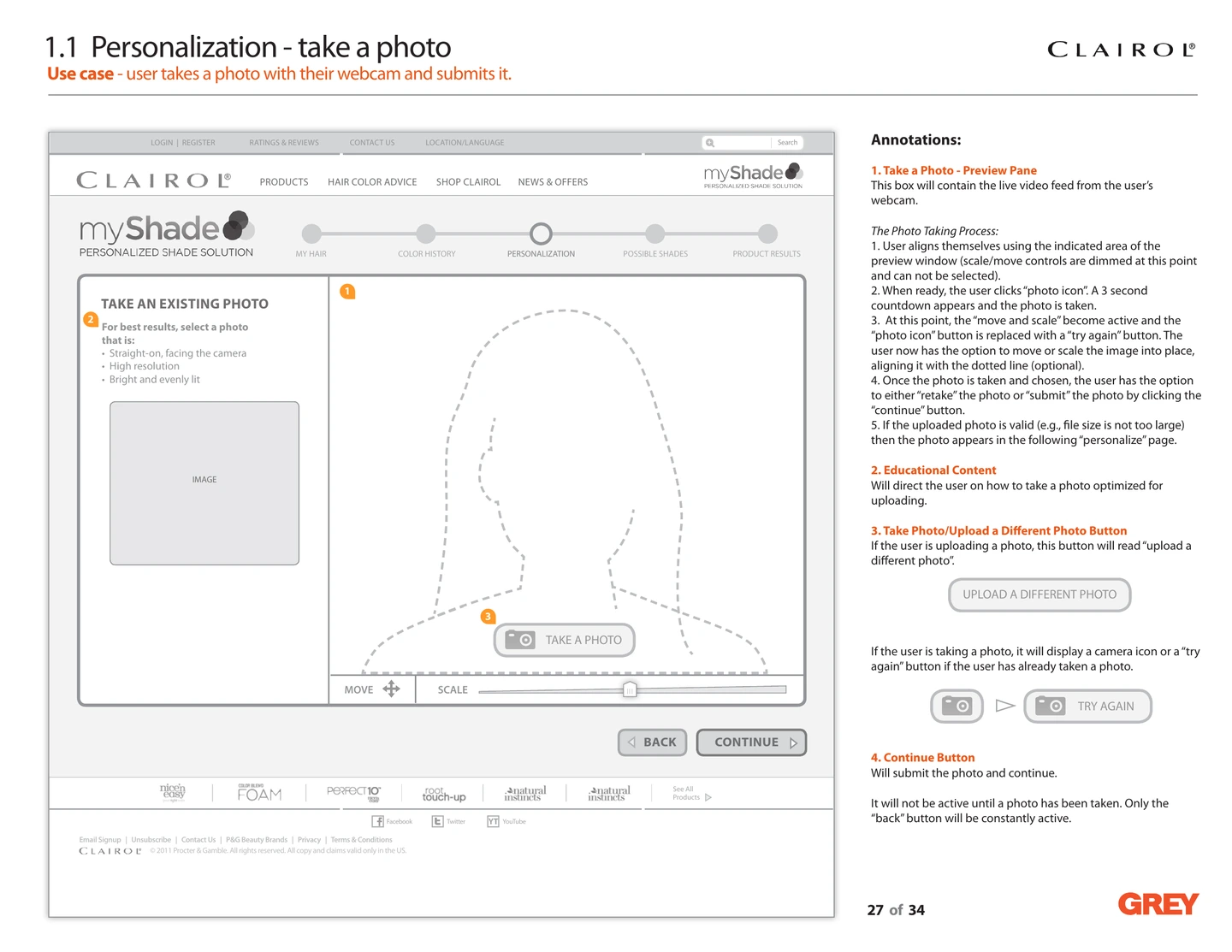
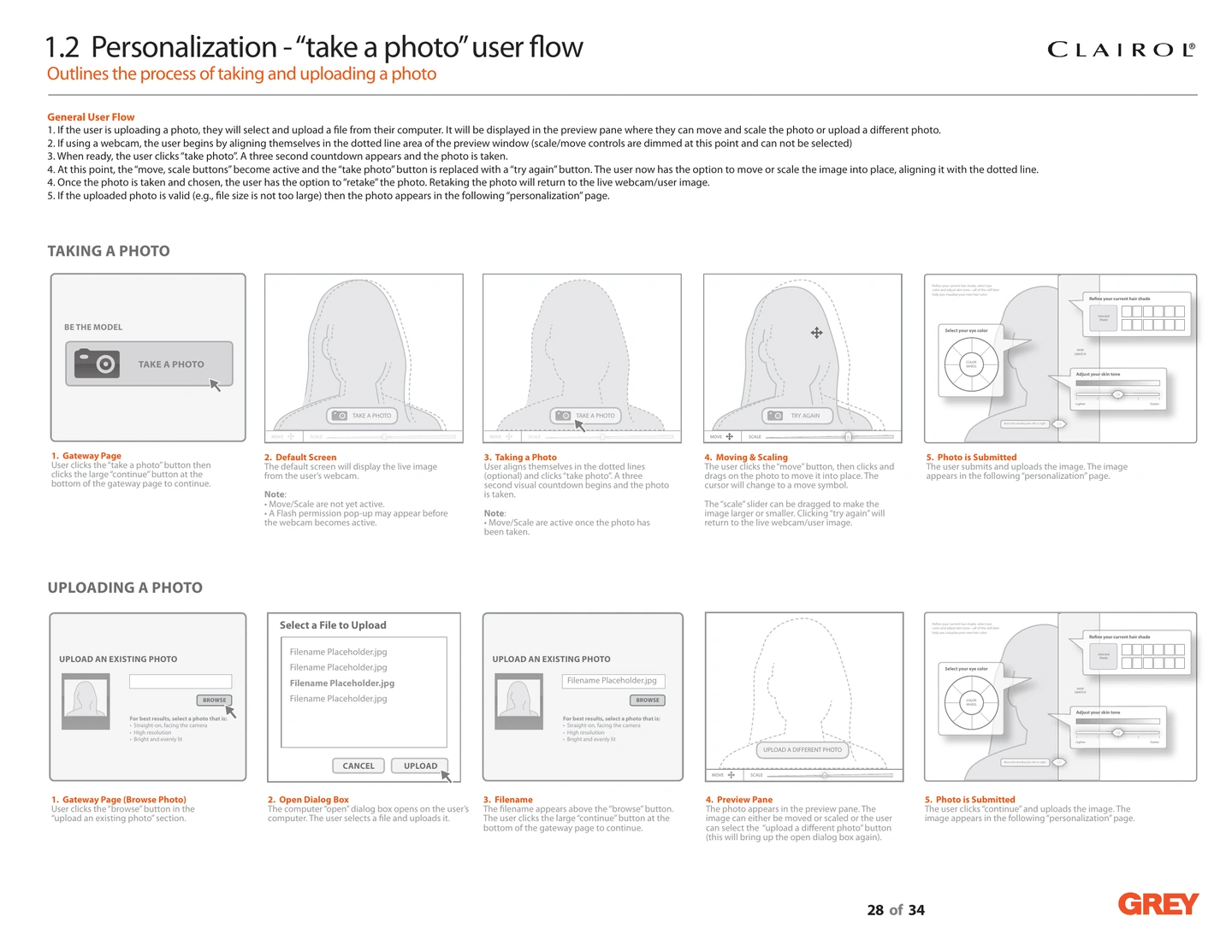
Customers could choose an avatar or use their own photo. These wireframes show the photo capture and upload process, with an educational video and clear controls for positioning, scaling, and retaking a photo.
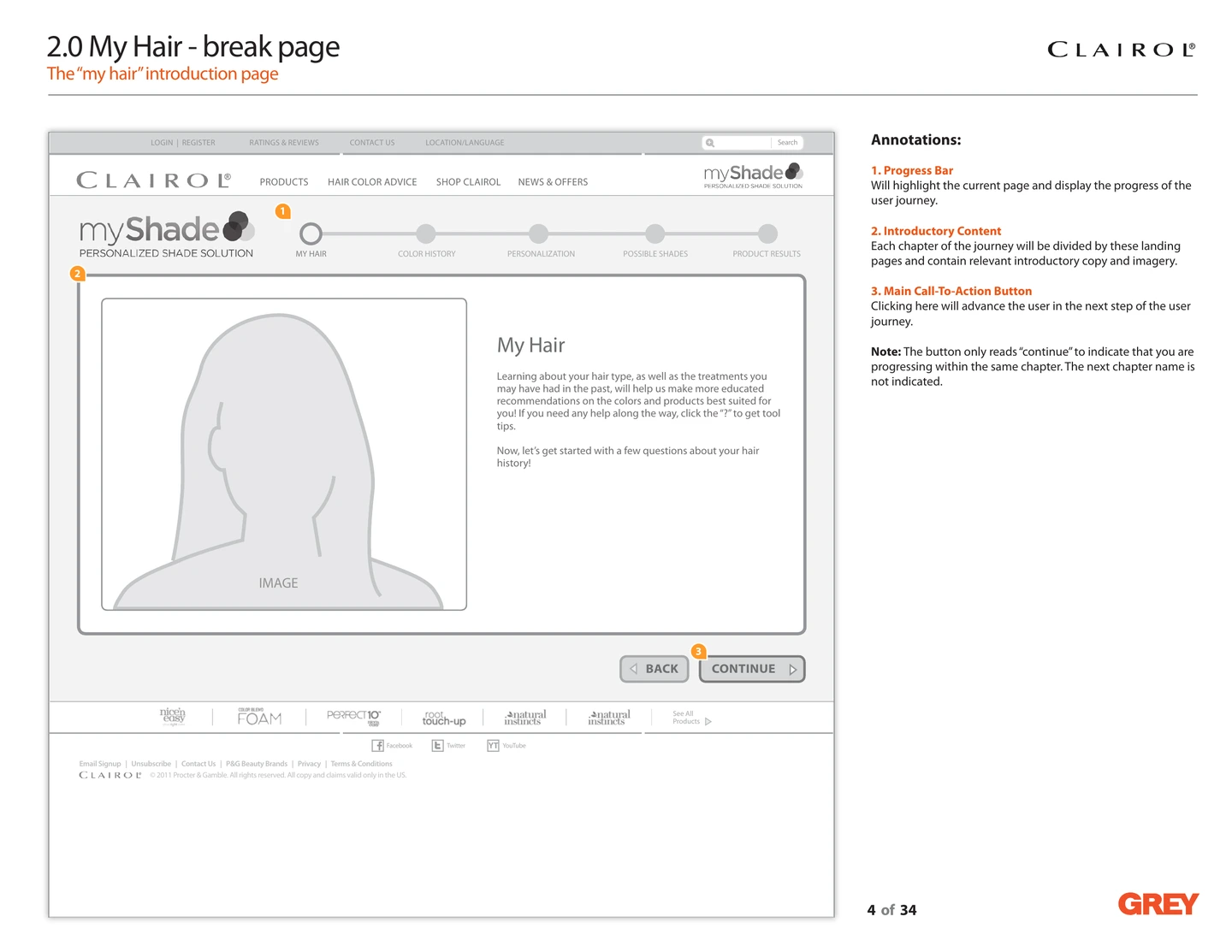
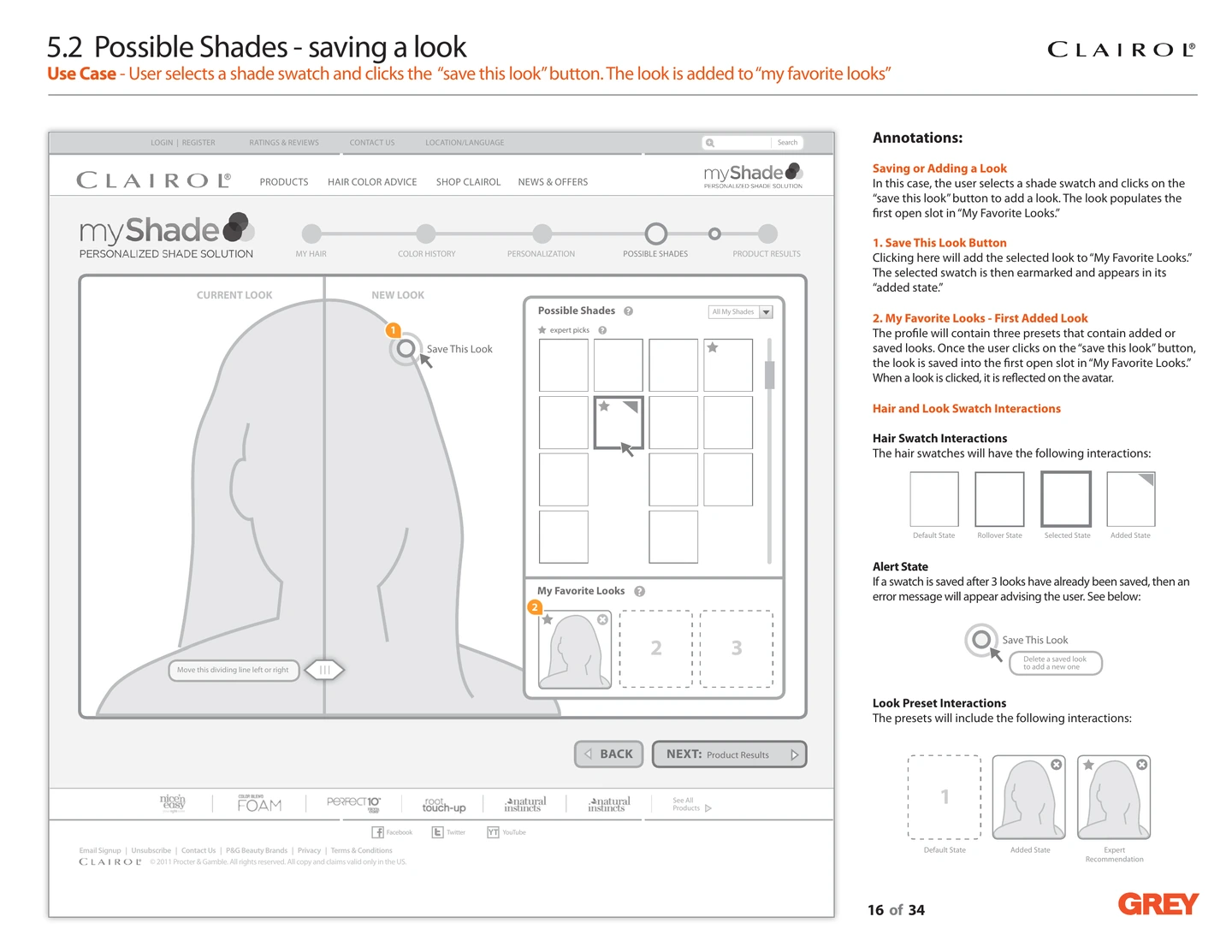
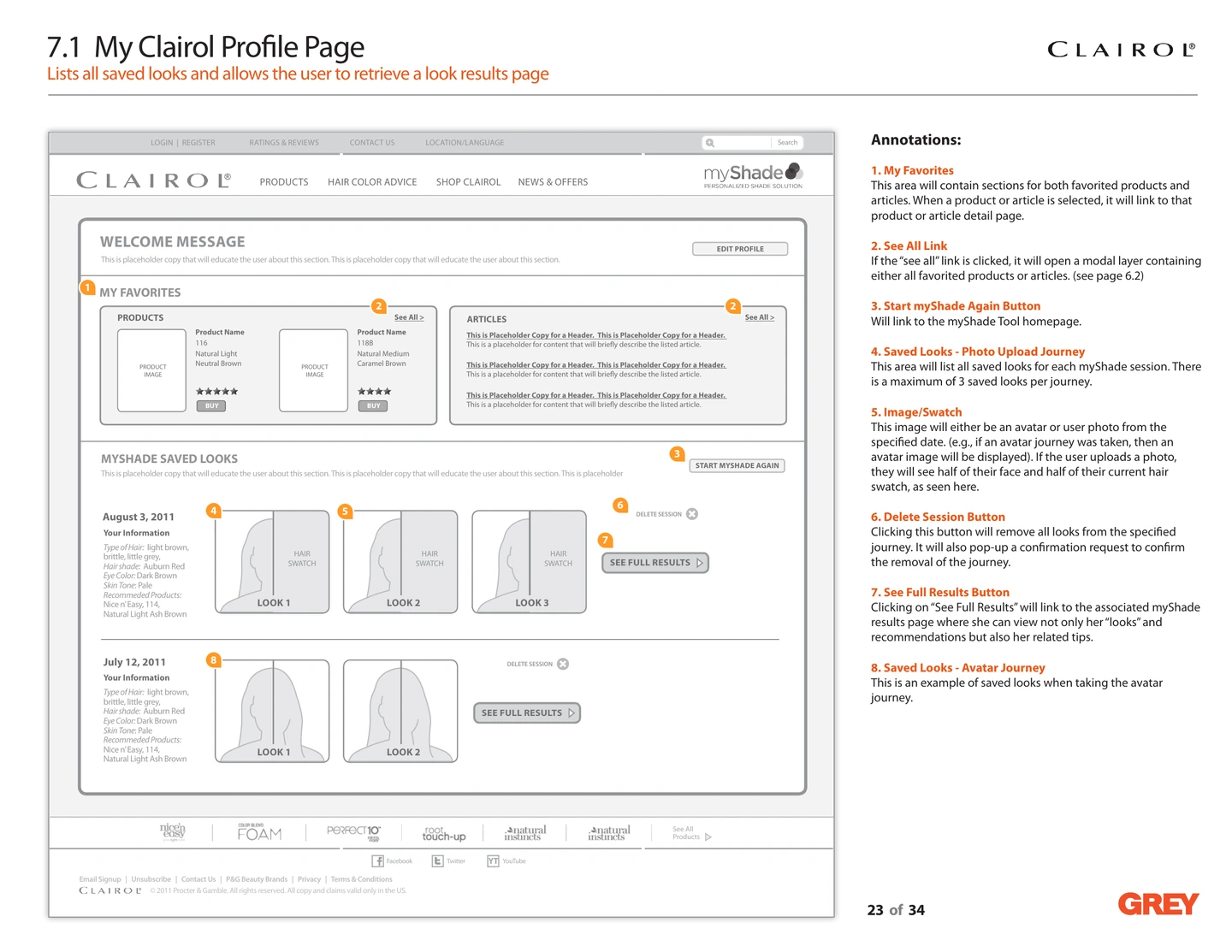
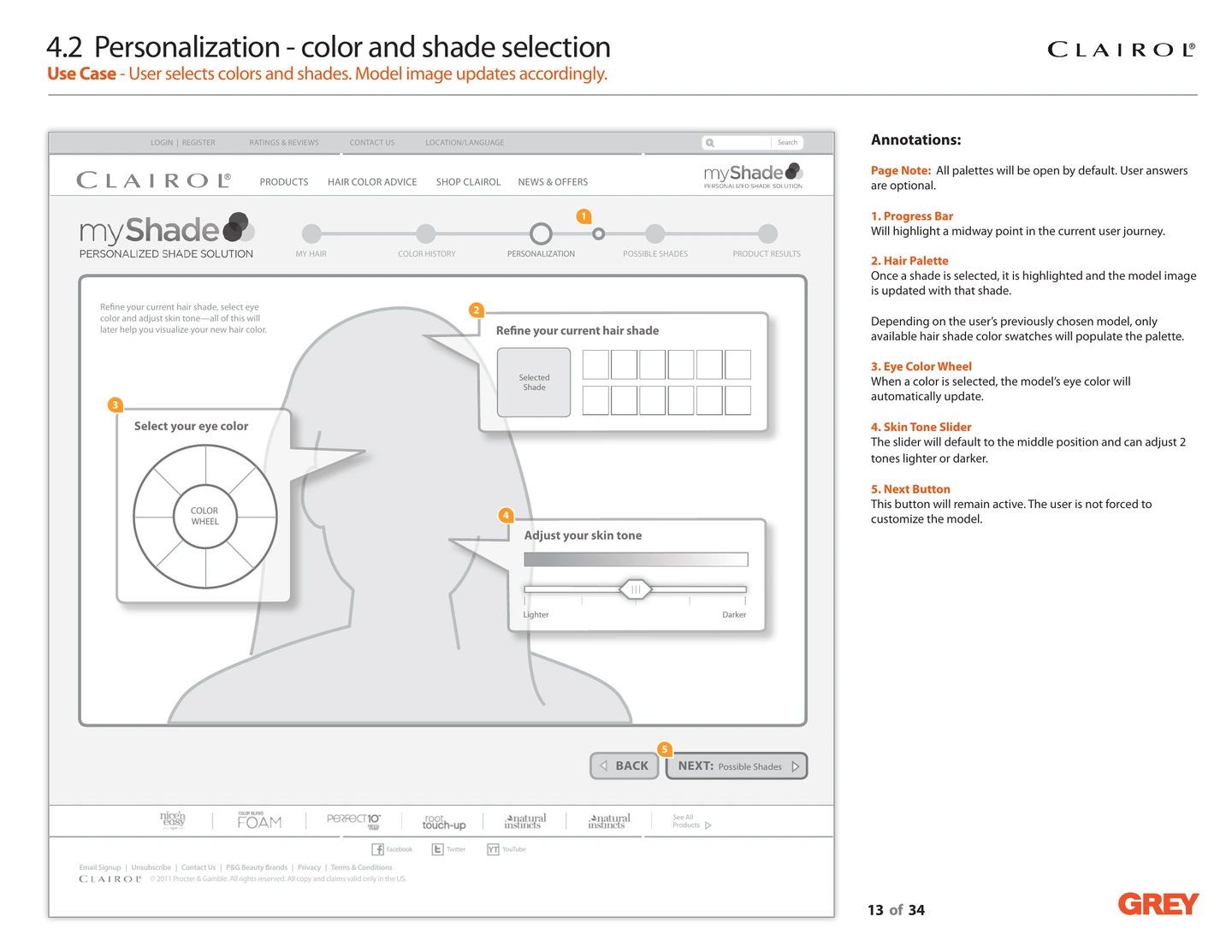
Customers could personalize their model, compare shades, and save favorite looks, then revisit their results and recommendations through their profile.
04 / Design delivery
An ambitious virtual makeover tool for its time, myShade was well received by customers. It connected personalized shade previews with product recommendations.
Specifications defined photo recovery, optional controls, and saved-look limits, giving customers a clear path from trying a shade to finding a product.